3D Workspace
Home
Assets
Affiliate Program
Sign up/Log in
?
Upgrade
DCC Bridge
Anonymous1773988743
03-20 11:12
Model Name
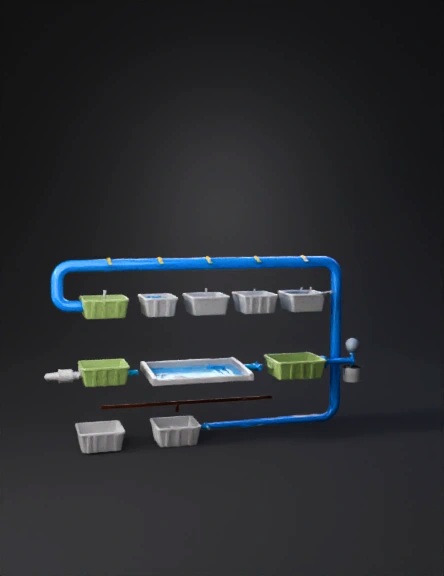
sewage treatment plant 3d model
Tags
architecture
simulation
stylized
Prompt
Create a very clear, simple, and educational 3D-style diagram of a Sewage Treatment Plant (STP) with labels. The goal is to make the process extremely easy to understand for students and presentations. -------------------------------------------------- STYLE: • Simple, clean, easy-to-read diagram (not overly realistic) • 3D or semi-3D blocks • Big bold labels on each unit • Clear arrows showing flow direction • Minimal clutter • Focus on clarity over complexity -------------------------------------------------- LAYOUT: • Left to right flow • Each stage clearly separated • Each tank/block labeled with large readable text -------------------------------------------------- MAIN FLOW (VERY CLEAR): 1. INLET CHAMBER (Label: “Raw Sewage Entry”) ↓ 2. SCREEN CHAMBER (Label: “Removes Plastic & Large Waste”) (Add small icon of waste + hopper) ↓ 3. DISTRIBUTION CHAMBER (Label: “Flow Divided into 2 Streams”) ↓ 4. GRIT CHAMBER (Label: “Removes Sand & Grit”) ↓ 5. PARSHALL FLUME (Label: “Measures Flow (MLD)”) ↓ 6. EQUALIZATION TANK (Label: “Balances Flow”) ↓ 7. PRIMARY CLARIFIER (Label: “Sludge Settling (Anaerobic + Aerobic Zones)”) ↓ 8. AERATION TANK (Label: “ASP + IFAS – Bacteria Clean Water”) (Add bubbles + media cages) ↓ 9. SECONDARY CLARIFIER (Label: “Separates Water & Sludge”) Split into 2 arrows: → BLUE ARROW: “RAS – Back to Aeration Tank” → BROWN ARROW: “WAS – To Sludge Treatment” ↓ 10. CLOTH MEDIA FILTER (Label: “Removes Fine Particles”) ↓ 11. CHLORINATION TANK (Label: “Kills Bacteria”) ↓ 12. CLEAN WATER OUTPUT (Label: “Treated Water”) -------------------------------------------------- SLUDGE FLOW (BOTTOM): From Primary + Secondary Clarifier: ↓ THICKENER (Label: “Removes Water from Sludge”) ↓ DIGESTER (Label: “Stabilizes Sludge”) ↓ FINAL OUTPUT (Label: “Sludge → Fertilizer”) -------------------------------------------------- COLOR CODING: • Blue → Water flow • Green → Clean water • Brown → Sludge (WAS) • Light blue → RAS return line • Grey → Tanks -------------------------------------------------- EXTRA DETAILS: • Add arrows between every stage • Add small icons (pipes, tanks, bubbles) • Make labels BIG and readable • Keep spacing clean and structured -------------------------------------------------- TITLE: “Simple STP Process Flow (Easy to Understand)” -------------------------------------------------- IMPORTANT: The diagram must be: • Very easy to understand in one glance • Clearly labeled at every stage • Suitable for students, presentations, and teaching
Detailed Info
Related Models
Enter invite code
Enter invite code to get credits!
 Anonymous1773988743


 Anonymous1773988743