3D Workspace
Home
Assets
Affiliate Program
Sign up/Log in
?
Upgrade
DCC Bridge
Anonymous1770722501
02-10 14:09
Model Name
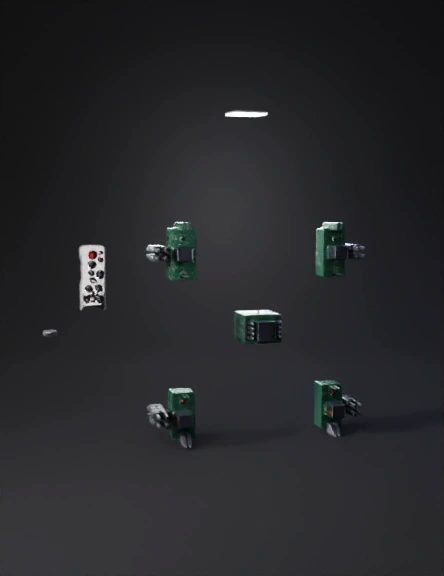
smart home automation 3d model
Tags
machine
simulation
realistic
Prompt
Prompt: Create a short educational animation in a strict top-down (orthographic) view with a fixed camera from start to end. The scene shows a smart home automation experiment with four rooms arranged in a square layout: Room 1 (top-left): 2 lights, 2 fans (all OFF) Room 2 (top-right): 2 lights, 2 fans (all OFF initially) Room 3 (bottom-left): 2 lights, 2 fans (all OFF) Room 4 (bottom-right): 2 lights, 2 fans (all OFF) A single IR remote is placed on the left side of the frame. A single ESP32 microcontroller is placed at the center of the four rooms. A relay module is placed between the ESP32 and the rooms. Animation sequence (step-by-step, no camera movement): Step 1: A button on the remote labeled “Room 2 – Light 1” is pressed. Step 2: A glowing signal path travels from the remote to the central ESP32, representing IR signal transmission. Step 3: The ESP32 briefly highlights to indicate decoding of the selected room and appliance. Step 4: The signal continues from the ESP32 to the relay module connected to Room 2 – Light 1. Step 5: The corresponding relay switches ON, showing AC power being passed. Step 6: Light 1 in Room 2 turns ON brightly, while all other lights and fans in all rooms remain OFF. Show a clear labeled signal path: “Remote → ESP32 → Relay Module → Room 2 Light 1” Style: clean engineering visualization, lab experiment diagram style, neutral background, clear components, glowing signal arrows, no perspective tilt, no zoom, no cinematic effects. 🔑 This prompt clearly proves: ✅ Single remote ✅ Single ESP32 ✅ Room selection ✅ Appliance selection ✅ Only Room 2 – Light 1 ON ✅ Top view from start to end
Detailed Info
Related Models
Enter invite code
Enter invite code to get credits!
 Anonymous1770722501


 Anonymous1770722501